Lab
5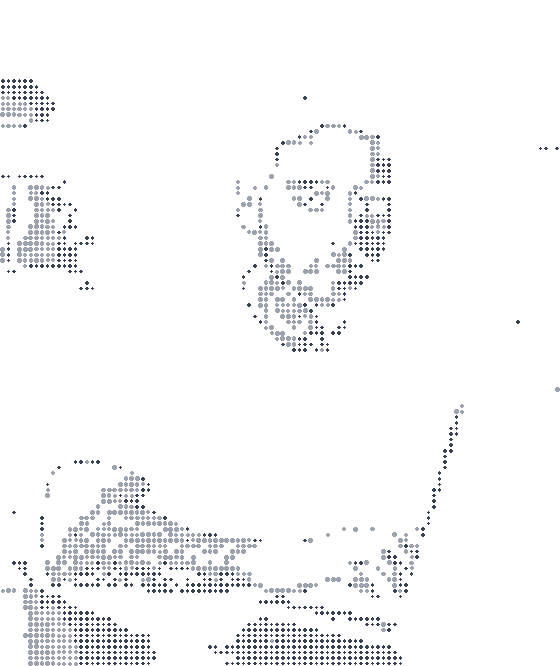
<canvas role="img"
  aria-label="Christopher Gonçalves at his computer, drawn in dots">
</canvas>
view-as-agent
×One switch turns every section into the text an agent reads.
About
I build tech that serves people, and I talk about how I build it. I grew up in a favela in São Paulo's north zone and met my first computer at 6 or 7. I haven't stopped learning since.
Today I'm a senior software engineer with 6+ years shipping production frontends, and I still get as excited as I did on day one.
I've done 600+ hours of live coding with an audience, and I live by one idea: teaching with what I learn, learning from what I teach.
## About

I build tech that serves people, and I talk about how I build it. I grew up in a favela in São Paulo's north zone and met my first computer at 6 or 7. I haven't stopped learning since.

Today I'm a senior software engineer with 6+ years shipping production frontends, and I still get as excited as I did on day one.

I've done 600+ hours of live coding with an audience, and I live by one idea: teaching with what I learn, learning from what I teach.
<label><input type="checkbox" class="pui-switch agent-toggle"> view as agent</label>

[data-agent-scope]:has(.agent-toggle:checked) .agent-text { display: block }
[data-agent-scope]:has(.agent-toggle:checked) .human { display: none }
mcp-live
×Call this site's read-only MCP server from the page.
https://chrissgon.dev/api/mcp get_profile list_products list_posts
POST https://chrissgon.dev/api/mcp
{"jsonrpc":"2.0","id":1,"method":"tools/list"}
perfectui-live
×Perfect UI components working on the page, with their code.
<a class="pui-btn pui-solid pui-theme" href="https://perfectui.dev">Perfect UI</a>
<a class="pui-btn pui-outline pui-surface" href="https://github.com/chrissgon/ai-workbench">ai-workbench</a>
For agents
Connect your agent to this site
https://chrissgon.dev/api/mcp
Read the llms.txt
<div class="pui-card">
  <div class="pui-card-header">For agents</div>
  <div class="pui-card-content">
    Connect your agent to this site
    <code>https://chrissgon.dev/api/mcp</code>
    <button class="pui-btn pui-outline pui-surface">Copy</button>
    <button class="pui-btn pui-outline pui-surface">tools/list</button>
    <a href="/llms.txt">Read the llms.txt</a>
  </div>
</div>
<button class="pui-btn pui-solid pui-theme" commandfor="notify" command="show-modal">
  <i class="icon icon-bell"></i> Turn on notifications
</button>

<dialog class="pui-modal" id="notify" closedby="any" aria-labelledby="notify-title">
  <div class="pui-card">
    <div class="pui-card-header" id="notify-title">
      <i class="icon icon-bell-ring"></i> Allow notifications?
    </div>
    <div class="pui-card-content">
      We will let you know when someone mentions you or a build fails.
      You can change this later in Settings.
      <div style="display: flex; gap: 8px; justify-content: flex-end">
        <button class="pui-btn pui-outline pui-surface" commandfor="notify" command="close">
          Not now
        </button>
        <button class="pui-btn pui-solid pui-theme" commandfor="notify" command="close">
          <i class="icon icon-check"></i> Allow
        </button>
      </div>
    </div>
  </div>
</dialog>
<label><input type="checkbox" class="pui-switch"> view as agent</label>
| 1,014 | npm downloads last month |
| 3.7 kB | Perfect UI, gzip, zero dependencies |
| 600+ hours | of live coding with an audience |
| 48 | skills in ai-workbench |
<div class="pui-card">
  <table class="pui-table">
    <tbody>
      <tr><td>1,014</td><td>npm downloads last month</td></tr>
      <tr><td>3.7 kB</td><td>Perfect UI, gzip, zero dependencies</td></tr>
      <tr><td>600+ hours</td><td>of live coding with an audience</td></tr>
      <tr><td>48</td><td>skills in ai-workbench</td></tr>
    </tbody>
  </table>
</div>
npm i @chrissgon/perfectui

import "@chrissgon/perfectui/perfectui.css";
workbench-evals
×ai-workbench skills scored with and without the skill, on a strong and a cheap model.
| Skill | Model | Run | With the skill | Without |
|---|---|---|---|---|
| ops-ci-pipeline | claude-haiku-4-5 (floor model) | 2 | 0.812 | 0.156 |
| ops-ci-pipeline | claude-opus-5-5 (strong model) | 2 | 1.0 | 0.75 |
<table class="pui-table">
  <thead>
    <tr><th>Skill</th><th>Model</th><th>Run</th>
        <th>With the skill</th><th>Without</th></tr>
  </thead>
  ...
</table>